I just uploaded the third novel in my 1980s New Romantic Murder Mysteries series today (it’s called ‘Death Wears Sequins’, by the way, and, by Jove! it’s a damn’ riveting read!).
All was going well when suddenly – eek! – Mobipocket Creator threw a wobbly.
I’m using Mobipocket Creator 4.2 installed in the advanced mode rather than the simplified ‘Home’ version. You can download a copy here: http://www.mobipocket.com/.
I was just in the process of adding the ‘guides’ for my Cover image and Table Of Contents as I’ve explained in a previous post when suddenly a dialog box popped up displaying an inscrutable message telling me that an unexpected JavaScript error had occurred. Well, that had me flummoxed. Until, that is, I recalled some comments on this very blog from people who’d come across the same problem.
A quick scan though the comments soon found the answer. The commenter named krakondack wrote: “I've found the solution to my problem, so if anyone else gets the problem, all you need to do is uninstall Internet Explorer 9 in "Installed Updates" section of Control Panel's list of software. There's some kind of conflict there, and uninstalling 9 simply reverts your system to IE 8 which then works fine.”
OK, so I loaded up the Control Panel from the Windows Start menu (this is on Windows 7), opened Programs and Features and searched the list for Internet Explorer. The damn’ thing isn’t there! If I’d read krakondack’s comment more carefully, I might not have been so surprised; but I didn’t and I was. After a bit of creating Googling, I eventually discovered that in order to uninstall Internet Explorer 9 you have to click the View Installed Updates link at the left of the Programs and Features window. Then you scroll down until you find a group called Microsoft Windows and, lurking somewhere in the list there is the Windows Internet Explorer 9 item. Right-click this and select Uninstall. When it’s finished, reboot the PC and Internet Explorer will have changed back to version 8.
Having done this, when I used Mobipocket Creator, all is well. Don’t ask me what it is about version 9 of Internet Explorer (IE9) that cause the problem because I don’t know. And, since I hardly ever use Internet Explorer (these days I generally use Chrome) I don’t much care.
If you do use IE9, you will have problems. Probably the simplest way around them is to use a different Kindle-book generator. Many people like Calibre (http://calibre-ebook.com/) which, like Mobipocket, is free. I’ve tried Calibre and it seems fine but I prefer to use Mobipocket Creator for the simple reason that I’ve already fought my battles with it and now I know how to get myself out of most of the tight corners that initially baffled me. Maybe I’ll try Calibre for my next Kindle book. For now, though, I’m happy with Mobipocket Creator – and Internet Explorer 8!

Thursday, 26 January 2012

Friday, 9 September 2011
Waterstone's to launch e-reader - is this good news...?
I'm really not at all sure that this is a good idea! Waterstones is a traditional High Street bookshop in the UK. They don't have a great track history of selling on the Internet and, frankly, why should anyone who wants an eBook buy from them?
This also begs the question; What format will they use? I remember the bad old days of video recorders when everyone said VHS was bad, Betamax was better and Video 2000 was the best. Me? I bought Video 2000. As a result, I couldn't play any commercial tapes on it, since nobody was releasing any. So: great technology, next to no content.
The Kindle eReader format is a bit like VHS. It;'s pretty damn' poor but it's there - and there are huge numbers of people are using it. It will have to be improved to support better formatting for things like graphics, programming code and equations. And that will doubtless happen in time. But if other people release eReaders, they should adopt a well-established and widely supported format. If Waterstones do adopt an established (Mobi/Kindle) format and they sell their hardware cheaply they may have a success. But if they try to lock readers into their hardware so that they are obliged to buy eBooks in a proprietary format from Waterstones's stores, they might as well forget it. It ain't gonna happen....
BBC News - Waterstone's to launch e-reader
This also begs the question; What format will they use? I remember the bad old days of video recorders when everyone said VHS was bad, Betamax was better and Video 2000 was the best. Me? I bought Video 2000. As a result, I couldn't play any commercial tapes on it, since nobody was releasing any. So: great technology, next to no content.
The Kindle eReader format is a bit like VHS. It;'s pretty damn' poor but it's there - and there are huge numbers of people are using it. It will have to be improved to support better formatting for things like graphics, programming code and equations. And that will doubtless happen in time. But if other people release eReaders, they should adopt a well-established and widely supported format. If Waterstones do adopt an established (Mobi/Kindle) format and they sell their hardware cheaply they may have a success. But if they try to lock readers into their hardware so that they are obliged to buy eBooks in a proprietary format from Waterstones's stores, they might as well forget it. It ain't gonna happen....
BBC News - Waterstone's to launch e-reader
Thursday, 21 July 2011
Impeding Justice Crime Novel: Interview
Top selling Kindle author, Mel Colmley, interviews me on her blog. But hurry, it's only there until Tuesday 26th July, 2011...
Impeding Justice Crime Novel: Interviews with other Indie Authors.
Impeding Justice Crime Novel: Interviews with other Indie Authors.
Monday, 27 June 2011
The Glam Assassin - an excerpt
YouTube videos give authors a great way to promote their books. My latest is a reading of the opening chapter of my latest 1980s murder mystery, The Glam Assassin. And here it is!
Saturday, 25 June 2011
Kindle Author's Pre-Publishing Checklist
I’ve just published my third Kindle book (this is the second novel in my ‘1980s New Romantic Murders’ series) and, once again, I realised that I had forgotten all the niggly little things I needed to do in order to get my manuscript ready for publication. To help me (and other Kindle authors!) remember in future, I decided to jot down some notes – and here they are...
I’m assuming here that you will be using Microsoft Word and that you’ve done all the obvious things such as proof-read your manuscript, fixed any grammar errors, spellchecked the text etc. I’m, also assuming that you’ve read Amazon’s Kindle Formatting guide in the Help section of their KDP (Kindle Direct Publishing) site.
Right, so what next?
1) Check that the formatting is correct (for example, that there are no funny fonts that shouldn’t be there).
2) If Track Changes is on (in Word’s Review panel), make sure that all changes are accepted (Changes/Accept all Changes in Document). Forget to do this and you may end up with text that you thought you’d altered or deleted being included in your published book!
3) Add Page Breaks. After every chapter, make sure there is a Page Break (keyboard shortcut is CTRL+ENTER). You can verify the breaks are where they are supposed to be by viewing hidden formatting (either click the Show/Hide icon in the Home/Paragraph panel of the Word ribbon or use the keyboard shortcut CTRL+SHIFT-* being sure to use the * on the 8 key at the top of your keyboard).
4) Add a Table of Contents (see HERE for guidance).
5) Add start and toc bookmarks so that Kindle will be able to find the start of the text and the Table Of Contents.
6) Create a cover image – 600 pixels wide, 800 pixels height in JPG format.
7) Save as Filtered HTML, and create Kindle-format book using Mobipocket Creator. See: Kindle Publishing, First Steps. Being sure to add the cover image and guides to go to the start and toc bookmarks (see Step 4 above).
8) Prepare all the Book details you’ll need to enter when you upload the book to Amazon. These include:
Book Name
Serial Title (if there is one) and Volume Number (if this is a series)
Description – the ‘blurb’ that will be shown under your book on Amazon.
Categories (the sections of the virtual bookstore into which the book naturally ‘fits’ – e.g. Humorous, Crime, Espionage)
Search keywords: Up to 7 keywords or phrases separated by commas that may help potential readers to find your book: e.g. murder, mystery, crime, detective, thriller, romance, British murder mystery
9) Go to the Bookshelf area of Amazon’s KPD site. Upload eBook (Amazon’s KDP Help area has guidance on this) – Amazon states that the cover image for the Amazon site should optimally be 500 x 1200 at 72 dpi. However, that results in a weirdly long and thin image. I use the cover image that’s in the book itself- a JPEG at 600x800 and that works just fine. Fill out the title, description, search words and other information which you should have prepared in Step 8.
And that’s it.... (unless I’ve forgotten anything?)
I’m assuming here that you will be using Microsoft Word and that you’ve done all the obvious things such as proof-read your manuscript, fixed any grammar errors, spellchecked the text etc. I’m, also assuming that you’ve read Amazon’s Kindle Formatting guide in the Help section of their KDP (Kindle Direct Publishing) site.
Right, so what next?
1) Check that the formatting is correct (for example, that there are no funny fonts that shouldn’t be there).
2) If Track Changes is on (in Word’s Review panel), make sure that all changes are accepted (Changes/Accept all Changes in Document). Forget to do this and you may end up with text that you thought you’d altered or deleted being included in your published book!
3) Add Page Breaks. After every chapter, make sure there is a Page Break (keyboard shortcut is CTRL+ENTER). You can verify the breaks are where they are supposed to be by viewing hidden formatting (either click the Show/Hide icon in the Home/Paragraph panel of the Word ribbon or use the keyboard shortcut CTRL+SHIFT-* being sure to use the * on the 8 key at the top of your keyboard).
4) Add a Table of Contents (see HERE for guidance).
5) Add start and toc bookmarks so that Kindle will be able to find the start of the text and the Table Of Contents.
6) Create a cover image – 600 pixels wide, 800 pixels height in JPG format.
7) Save as Filtered HTML, and create Kindle-format book using Mobipocket Creator. See: Kindle Publishing, First Steps. Being sure to add the cover image and guides to go to the start and toc bookmarks (see Step 4 above).
8) Prepare all the Book details you’ll need to enter when you upload the book to Amazon. These include:
Book Name
Serial Title (if there is one) and Volume Number (if this is a series)
Description – the ‘blurb’ that will be shown under your book on Amazon.
Categories (the sections of the virtual bookstore into which the book naturally ‘fits’ – e.g. Humorous, Crime, Espionage)
Search keywords: Up to 7 keywords or phrases separated by commas that may help potential readers to find your book: e.g. murder, mystery, crime, detective, thriller, romance, British murder mystery
9) Go to the Bookshelf area of Amazon’s KPD site. Upload eBook (Amazon’s KDP Help area has guidance on this) – Amazon states that the cover image for the Amazon site should optimally be 500 x 1200 at 72 dpi. However, that results in a weirdly long and thin image. I use the cover image that’s in the book itself- a JPEG at 600x800 and that works just fine. Fill out the title, description, search words and other information which you should have prepared in Step 8.
And that’s it.... (unless I’ve forgotten anything?)
Monday, 20 June 2011
New 'super Kindle' on its way
Amazon will shortly launch a new 10-inch color Kindle tablet that will support streaming video and sell for around $399, according to a report recently released by investment firm Detwiler Fenton.

Code-named Hollywood, it is said that the new Kindle tablet will include a promotional video service with Amazon. Read More: CNET News
Monday, 13 June 2011
Paranormal Romance - Broken
Just heard that David H Burton has published a new paranormal romance, Broken, which you can download and read right now! David's a pretty prolific writer so if you get hooked on this one, be sure to check out his other novels too.
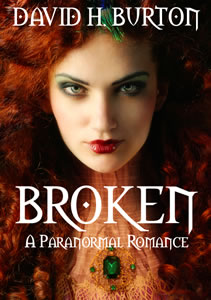
Anyhow, here's the blurb...
Anyhow, here's the blurb...
Three days before her twenty-fourth birthday, Katherine Gregory receives a letter from her deceased mother. It details a faery curse in which the eldest child in each generation will die in their twenty-fifth year.More info and links to the book on David's Blog.
Three days before her twenty-fourth birthday, a new love interest comes knocking, and her first love has returned - neither men are what they seem, and Katherine may have to choose between them.
Three days before her twenty-fourth birthday, Katherine must decide if this is all real, or if the strange visions she's been having are just a figment of her imagination.
The race to unravel the mystery begins, and Katherine must solve it - for any day after her birthday could be her last.
Subscribe to:
Posts (Atom)